

Amazon Scraper API vs Proxy: Choose a Product Data Source
Compare seller APIs, licensed Amazon product data and proxy page checks by record, access scope and reuse rights.
Read guide
SOCKS5 and SOCKS5h can resolve hostnames in different places. Compare curl and Python Requests settings and check actual client behavior.
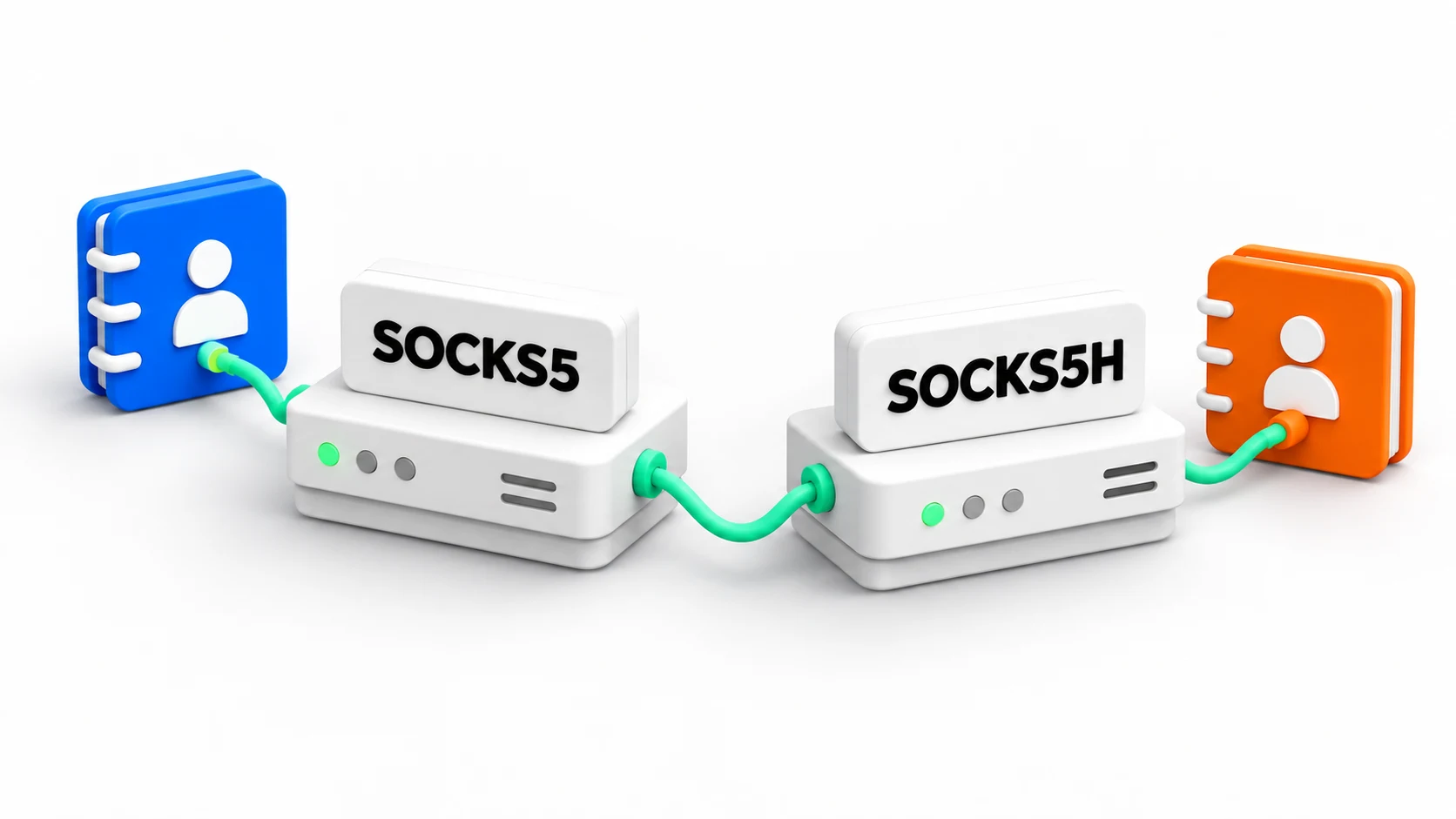
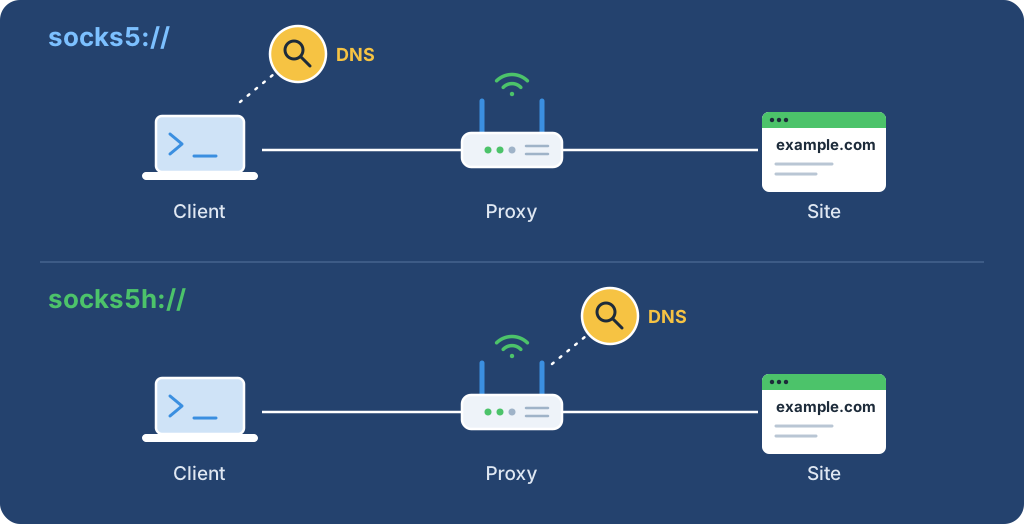
socks5h:// is SOCKS5 with Domain Name System (DNS) resolution at the proxy: curl and Python Requests send the hostname to the proxy, and the proxy resolves it from its own network. With socks5://, the client resolves the name locally first and sends only the IP address. The h is a client URL convention, not a new protocol version.
Use socks5h:// when the name must resolve from the proxy's network or local DNS must stay out of the path. Confirm the mode in the actual client with the one-line curl check below.
| Client setting | Where the target name resolves | What to check |
|---|---|---|
curl socks5:// or --socks5 |
On the client, before the SOCKS request | Local DNS can resolve the name and returns the intended address |
curl socks5h:// or --socks5-hostname |
At the proxy | The proxy can resolve the name from its network |
Requests socks5:// |
On the client | Optional SOCKS dependencies installed; scheme spelled as intended |
Requests socks5h:// |
At the proxy | Scheme spelled as intended; proxy resolver reaches the name |
| Browser SOCKS5 setting | Depends on the browser | Proxy, DNS-over-HTTPS, bypass, and prefetch settings |
The curl manual documents local resolution for --socks5 and proxy-side resolution for --socks5-hostname. Requests documents the same split for socks5 and socks5h URLs and needs its optional SOCKS extra installed.
This check uses an unauthenticated or IP-allowlisted SOCKS5 endpoint, so no password enters the command line. For a password-protected endpoint, run the same comparison from a test worker added to the provider's IP allowlist; command-line credentials can leak through shell history and process listings. Replace <PROXY_HOST> and <PROXY_PORT> with the assigned values. Tested with curl 8.7.1 on macOS 26.5.2.
export SOCKS_PROXY='<PROXY_HOST>:<PROXY_PORT>'
for scheme in socks5 socks5h; do echo "== $scheme"; curl --silent --verbose --output /dev/null --max-time 20 --proxy "$scheme://$SOCKS_PROXY" https://example.com/ 2>&1 | grep -E 'SOCKS5 connect'; done
Output captured through a local test proxy:
== socks5
* SOCKS5 connect to 172.66.147.243:443 (locally resolved)
== socks5h
* SOCKS5 connect to example.com:443 (remotely resolved)
The first line shows that curl looked up example.com itself and handed the proxy an address. The second shows that curl passed the name and let the proxy resolve it. The resolved address depends on the local resolver and changes over time.
Install the optional SOCKS support with python -m pip install 'requests[socks]', then put the socks5h:// scheme in both mapping keys. Tested with Requests 2.34.2 and PySocks 1.7.1 through a local SOCKS5 test proxy, which printed the observed address:
import os

import requests

# Set SOCKS_PROXY to <PROXY_HOST>:<PROXY_PORT> for an unauthenticated or allowlisted endpoint.
proxy_url = f"socks5h://{os.environ['SOCKS_PROXY']}"
with requests.Session() as session:
    session.trust_env = False
    response = session.get(
        "https://api.ipify.org?format=json",
        proxies={"http": proxy_url, "https": proxy_url},
        timeout=(5, 15),
    )
    response.raise_for_status()
    print(response.json()["ip"])
Replace socks5h with socks5 to resolve names on the client instead. For a full Requests check with authentication and response validation, use the Python Requests proxy guide.
Choose socks5h:// in three common situations:
socks5:// is reasonable when the target name resolves the same everywhere and local DNS is within the accepted data boundary. If socks5h:// succeeds while socks5:// fails, inspect local DNS reachability, split-horizon DNS, and resolver policy first.
The SOCKS5 request can carry an IPv4 address, an IPv6 address, or a domain name; RFC 1928 defines these address types. Username and password authentication is a separate method in RFC 1929, so authentication does not decide where DNS resolves.
DNS mode selects the resolver, not the exit country. Set the region through the provider's endpoint or session settings, then check the observed exit and the returned page separately. A site can choose a locale from signals other than the exit IP.
Proxy-side resolution does not make an application anonymous. The proxy receives the hostname in the SOCKS request. For HTTPS targets, TLS protects the HTTP content between client and target; it does not hide the SOCKS request or unrelated lookups made by other parts of the application, as curl's HTTPS proxy documentation explains for the separate proxy and TLS layers.
A curl or Requests result describes that request only. Browsers, extensions, operating-system services, and other libraries can resolve names on their own path. The Chromium SOCKS proxy notes describe proxy-side resolution for proxied loads while DNS prefetch can still make separate local lookups.
| Observation | What it can establish | What it leaves open |
|---|---|---|
| curl verbose line | Which address form curl sent to the proxy | Other processes and background lookups |
| Local resolver log | A lookup reached that resolver | Caches, DNS-over-HTTPS, IPv6, unobserved resolvers |
| Proxy-side record | The hostname reached the proxy resolver | Retention and the downstream DNS path |
| Exit IP check | The request reached an observed address | DNS privacy, identity, or permission to access the target |
A missing lookup counts as evidence only when the observation point covers the relevant resolver, cache, address family, process, and time window.
For transport differences, read HTTP vs SOCKS5 proxies. For Requests setup with a full validation script, use the Python Requests proxy guide. A provider can reproduce a specific route from a redacted proxy support ticket.
 ProxyLaneTraffic never expires
Scale your workflows with the tools you already use. Rotating or sticky sessions up to 72 hours.
Compare seller APIs, licensed Amazon product data and proxy page checks by record, access scope and reuse rights.
Read guideChoose the right anti-detect browser proxy guide, map the shared verification steps, and keep account access separate from the network route.
Read guideOur picks for market research: ProxyLane for small, intermittent projects, plus options for regional tracking, monthly collection and managed extraction.
Read guide
